Canada Baby Passport Photo Online
Create a compliant Canada baby passport photo online in under 30 seconds. Our AI-powered service ensures your photo meets all official requirements.
- AI-powered background removal
- Instant compliance checking
- 100% acceptance guarantee
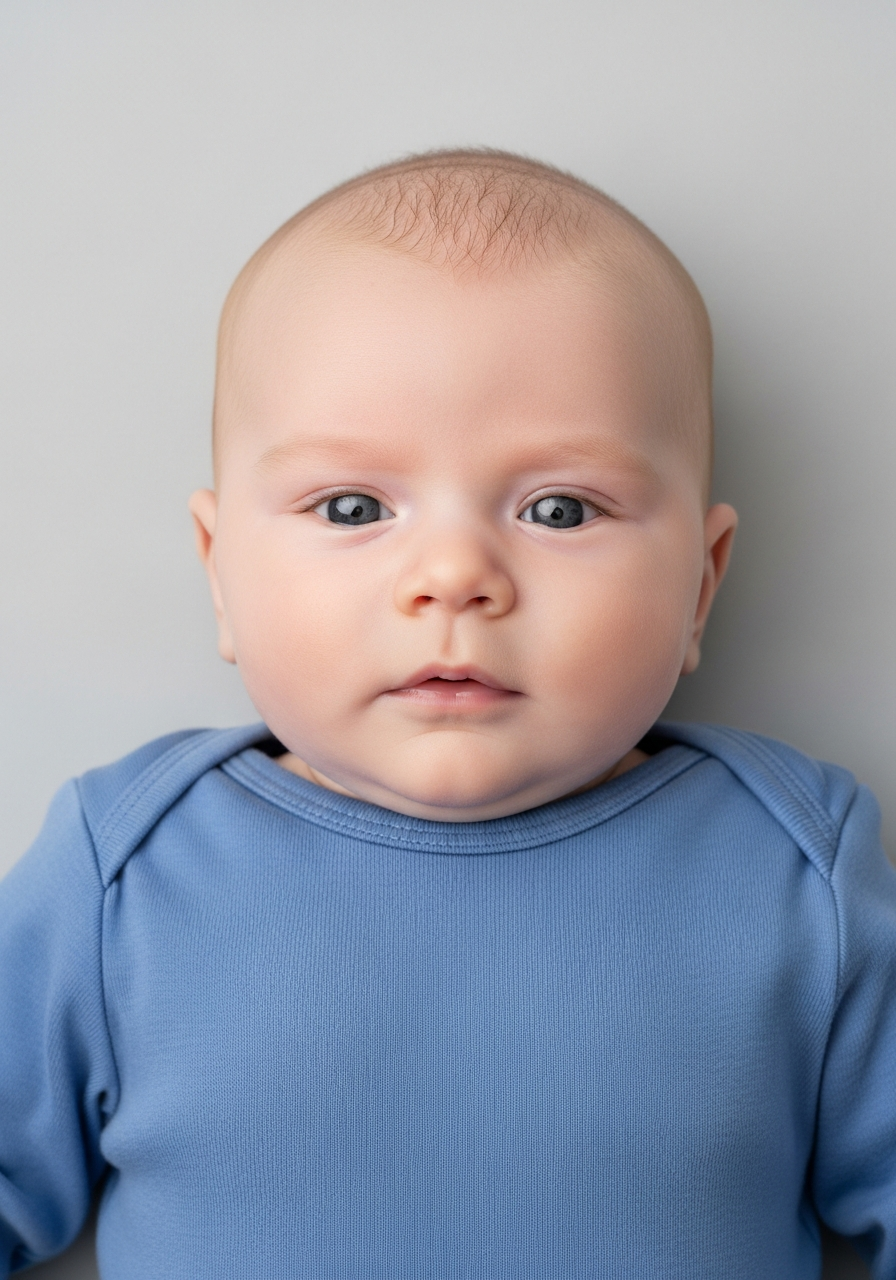
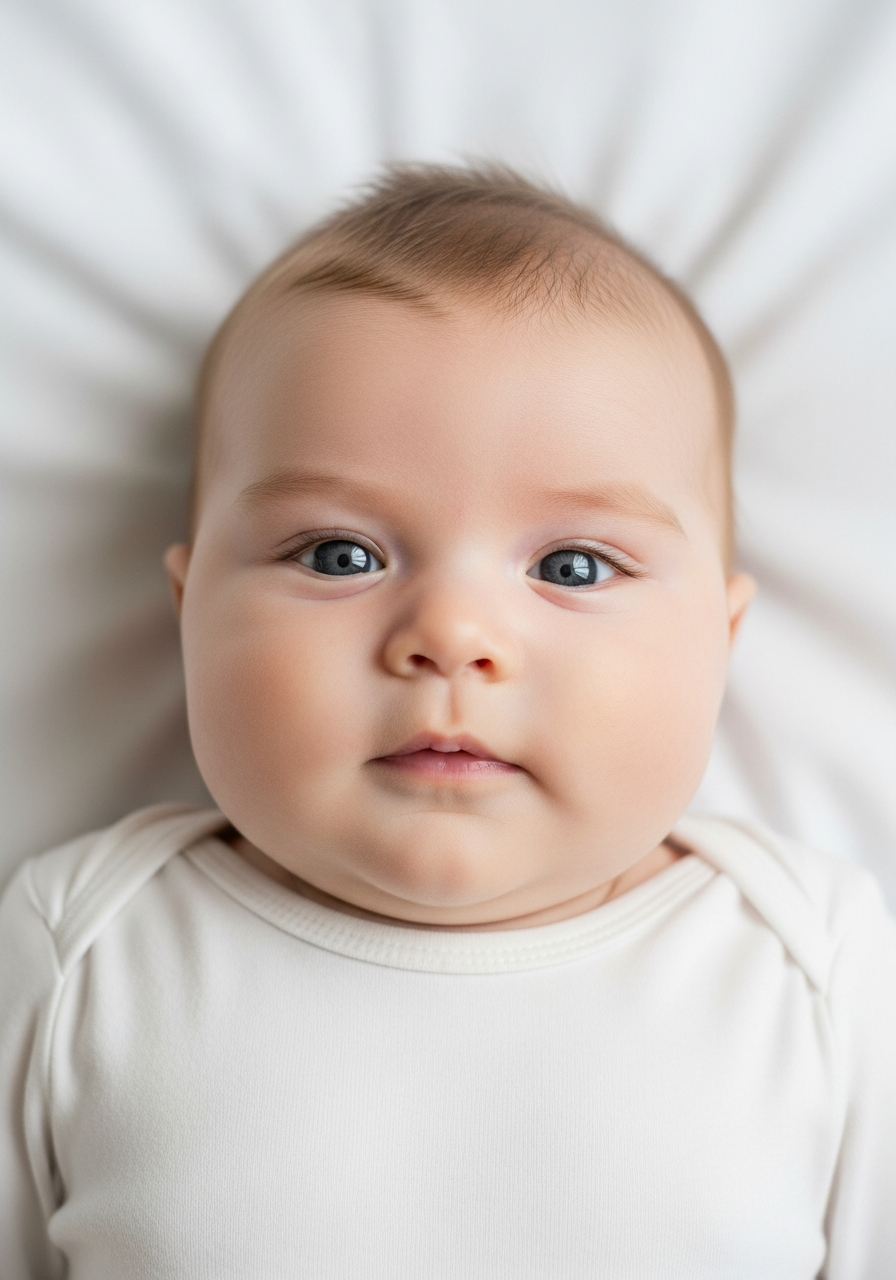
Drag to compare before vs after
Photo Specifications
Will my photo be accepted?
Size
900x1200 px
Lighting
No shadows
Focus
Sharp & clear
Background
very light gray
Head height
—
Recency
Last 6 months
Online submission
Printable
How It Works
1. Upload Your Photo
Take a photo with your smartphone or webcam, or upload an existing image.
2. Image Processing
We remove the background, crop to exact specifications, and check against compliance.
3. Download & Print
Get your digital photo instantly, plus a print-ready PDF with cut guides.
Everything You Need to Know About Baby Passport Photos
A baby passport photo is one of the most challenging parts of applying for your child's first passport. Unlike adults, babies cannot sit still, follow instructions, or produce a specific expression on demand. For many parents, this makes the process feel overwhelming—especially when the rules seem strict and the consequences of rejection are unclear.
The good news is that once you understand what is actually required, taking a compliant baby passport photo becomes much more manageable. In the UK, baby passport photos are assessed by the HM Passport Office using the same core standards as adult photos, but with important allowances for the realities of photographing infants. This guide explains everything you need to know to get your baby's passport photo right the first time.
What Is a Baby Passport Photo?
A baby passport photo is an official identity photograph used for your child's UK passport application. Like adult passport photos, it is used for identity verification and must meet specific technical requirements set by the HM Passport Office.
Every UK passport application requires a photo, regardless of the applicant's age. This means newborns, infants, and young children all need a compliant passport photo before their application can be processed. There is no age exemption—even a baby who is days old requires a passport photo that meets official standards.
UK Baby Passport Photo Requirements
Understanding the baby passport photo requirements is the first step toward avoiding rejection. While the rules may seem strict, they exist for good reason—passport photos are used for identification at border control and must be clear enough to verify your child's identity.
For UK baby passport photos, the core requirements include a plain, light-coloured background, even lighting with no harsh shadows, a clearly visible face that is in focus and centred, and no other people, hands, or objects visible in the frame. The photo must be recent and reflect your baby's current appearance.
Unlike adults, babies are given flexibility when it comes to facial expression. Your baby does not need to look directly at the camera, keep their mouth closed, or maintain a neutral expression. This acknowledges the reality that babies cannot control their faces in the way adults can.
Newborn Baby Passport Photo Rules
Taking a newborn baby passport photo comes with additional challenges. Newborns cannot hold their heads up, often have their eyes closed, and are particularly sensitive to bright lights and unfamiliar environments. For detailed guidance, see our complete guide to newborn baby passport photo rules.
The HM Passport Office recognises these limitations. Newborns are allowed to lie on their back for the photo, and partial eye closure may be accepted for very young babies. However, the face must still be clearly visible, the background must be plain and light, and no supporting hands or objects can appear in the frame.
For most parents, laying the baby on a plain white sheet and photographing from directly above produces the best results. This position allows you to control the background, avoid shadows, and capture the baby's face without needing them to sit upright or be held.
Can a Baby Smile in a Passport Photo?
Yes—babies are allowed to smile in a passport photo. This is one of the most common questions parents ask, and the answer comes as a relief to many. For more detail, read our article on whether babies can smile in passport photos.
Unlike adult passport photos, which require a neutral expression with the mouth closed, baby passport photos allow smiling, crying, yawning, or any natural expression. The key requirement is that the face must be clearly visible and unobstructed. As long as the expression does not distort the baby's features to the point where identification becomes difficult, the photo can be accepted.
This flexibility exists because babies cannot control their facial expressions on demand. Trying to force a specific expression often leads to frustration for both parent and baby, without improving the photo's compliance.
Why Baby Passport Photos Get Rejected
Despite the flexibility given to baby passport photos, rejections still happen—often more frequently than with adult photos. Understanding why baby passport photos get rejected can help you avoid the most common pitfalls.
The single most common reason for rejection is visible hands or arms. Many parents try to support their baby's head or hold them upright, not realising that even a fingertip or sleeve visible in the frame will cause the photo to be rejected. If your baby needs support, it must be completely outside the photo's boundaries.
Background issues are another major cause of rejection. The background must be plain and light in colour, with no patterns, textures, or shadows. Wrinkled sheets, patterned blankets, or visible furniture behind the baby will all lead to rejection. Taking the time to prepare a smooth, evenly lit background dramatically reduces rejection risk.
Shadows on the baby's face or behind them are also problematic. Overhead lighting, flash photography, or positioning the baby near a window with direct sunlight can all create shadows that cause the photo to fail automated checks. Soft, even lighting—ideally natural daylight without direct sun—produces the best results.
Other common rejection reasons include poor image quality (blurry or grainy photos), objects in the frame such as dummies, toys, or bibs, and clothing that blends into the background. Each of these issues is avoidable with proper preparation.
Other Canada Document Photos
How to Prepare Yourself
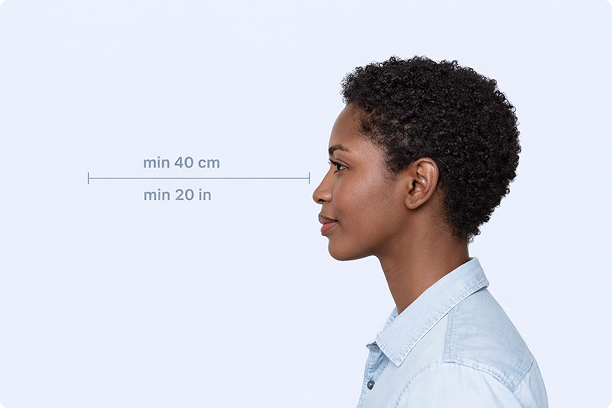
Correct Distance
Hold your camera at arm's length (40cm/20in minimum) for the best results
_1768770085753-BWkNoFUp.jpg)
Face The Camera
Look straight at the camera with a neutral expression and eyes open
Even Lighting
Use natural light or soft indoor lighting to avoid shadows on your face
What You Get
Digital Photo
High-resolution JPEG for online applications
Print-Ready PDF
4x6 inch PDF with multiple copies and cut guides
Acceptance Guarantee
Full refund if your photo is rejected
Why Choose PassportApp?
Ready in 30 Seconds
Fast AI processing delivers your photo instantly.
Money Back Guarantee
Full refund if your application is rejected due to the photo.
Compliance Verified
Each photo is checked against official requirements.