Baby Passport Photo
Get your baby's UK passport photo right first time. Compliant photos for newborns, infants and toddlers — with a 100% acceptance guarantee.
- Designed for babies and infants
- Handles closed eyes (under 1 year)
- White or cream background accepted
- 35mm x 45mm HMPO dimensions
- 100% acceptance guarantee
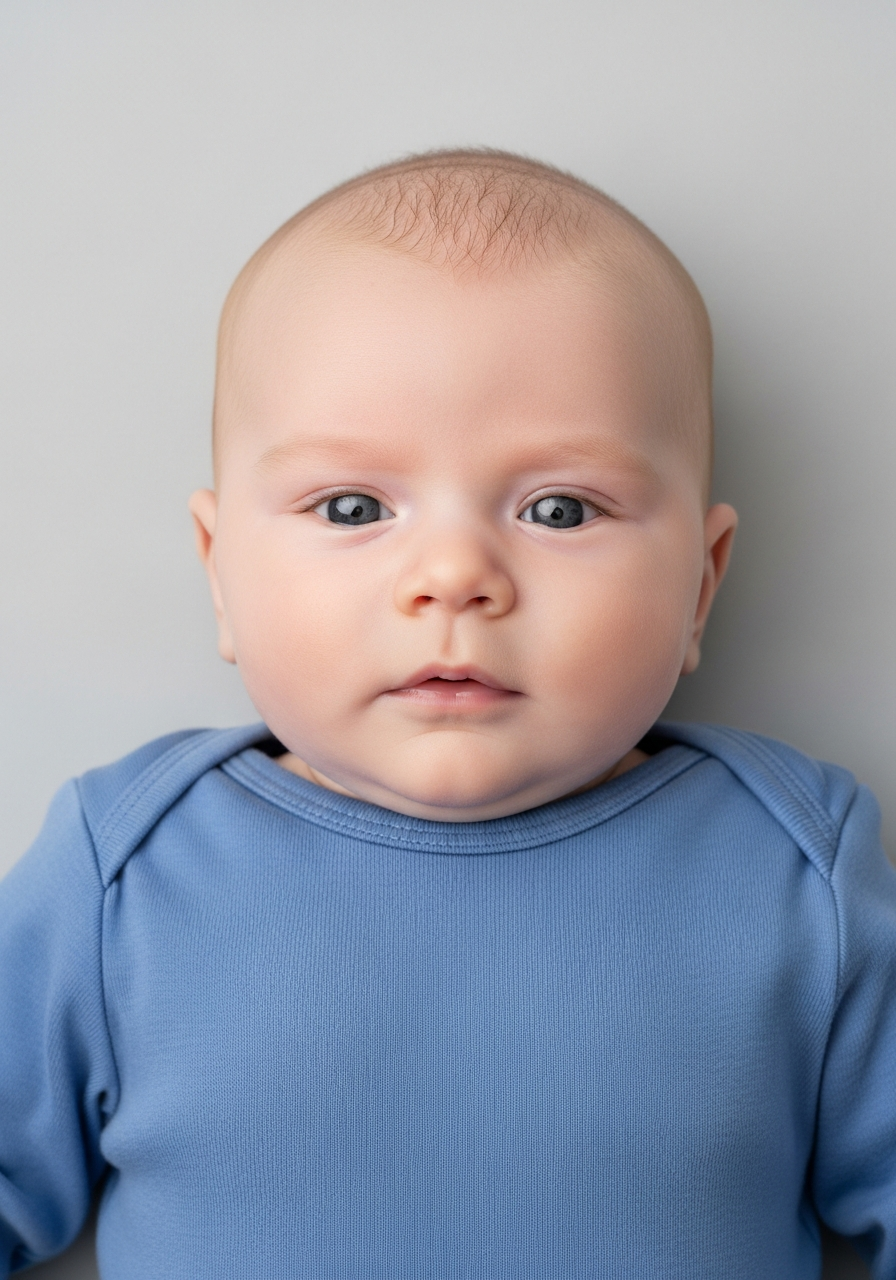
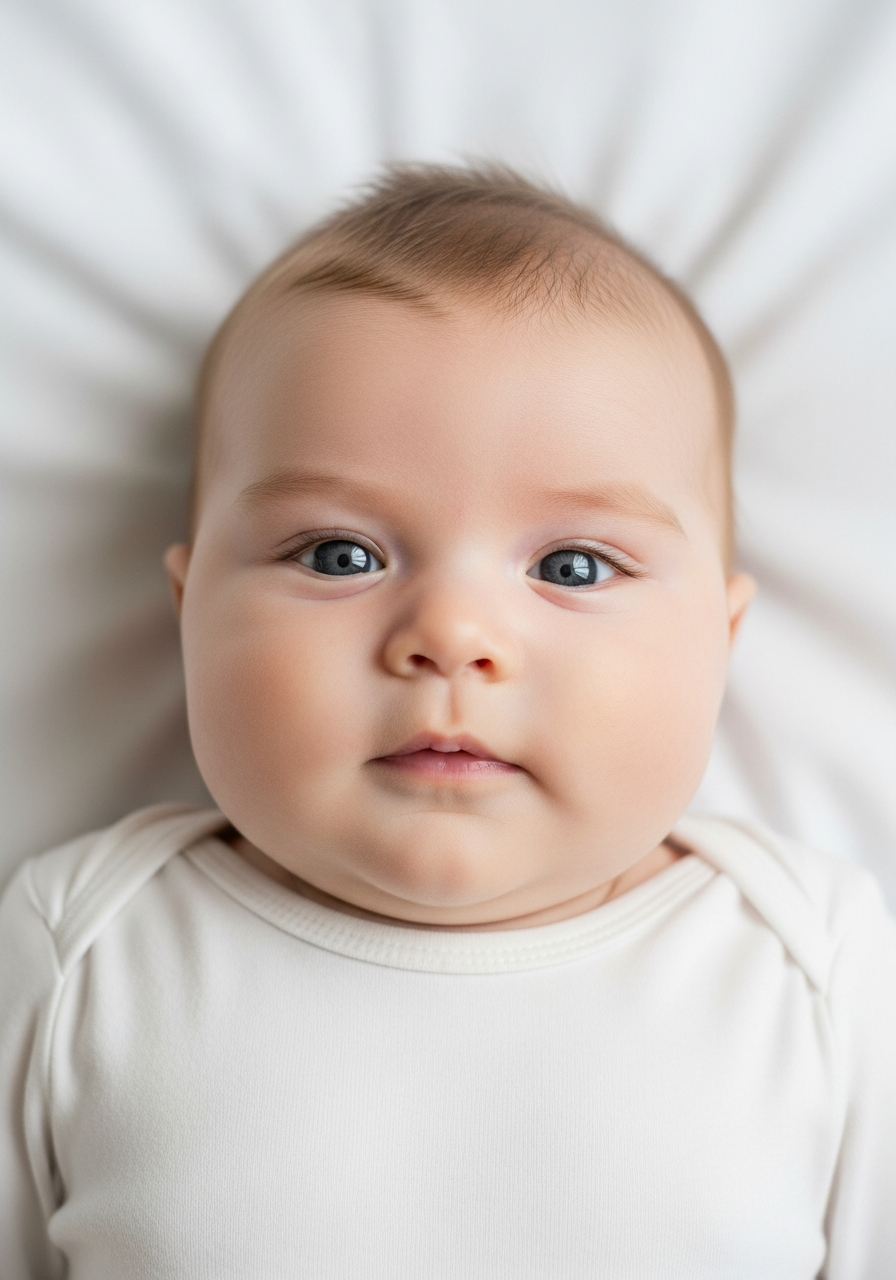
Drag to compare before vs after
Photo Specifications
Will my photo be accepted?
Size
900x1200 px
Lighting
No shadows
Focus
Sharp & clear
Background
Light grey or cream
Head height
29–34 mm
Recency
Last month
Online submission
Printable
How It Works
1. Upload Your Photo
Take a photo with your smartphone or webcam, or upload an existing image.
2. Image Processing
We remove the background, crop to exact specifications, and check against compliance.
3. Download & Print
Get your digital photo instantly, plus a print-ready PDF with cut guides.
Getting a compliant passport photo of your baby is harder than it looks. HMPO's requirements are more flexible for babies, but taking a photo that actually meets those requirements — sharp, well-lit, correct background — is where most parents struggle. This guide explains exactly what HMPO requires, age by age, and how to get it right.
UK Baby Passport Photo Specifications
HMPO baby passport photos use the same 35×45mm format as adult photos, with age-specific flexibility for the youngest applicants:
| Specification | Under 1 year | 1–5 years | 6+ years |
|---|---|---|---|
| Eyes | May be closed | Must be open | Must be open |
| Gaze direction | Not required | Roughly forward | Direct camera gaze |
| Expression | Fully relaxed OK | Natural expression | Neutral required |
| Hands visible | Minimal support allowed | Not permitted | Not permitted |
| Size | 35mm × 45mm | 35mm × 45mm | 35mm × 45mm |
| Background | Plain cream or light grey | Plain cream or light grey | Plain cream or light grey |
| Taken within | 1 month of application | 1 month of application | 1 month |
For a child's first passport application, one printed photo must be countersigned on the back by a recognised professional who has known the family for at least 2 years. See also: adult UK passport photo requirements.
Age Matters: How Requirements Change as Your Baby Grows
The most important thing to understand is that baby passport photo requirements change depending on your child's age. What's acceptable for a 3-month-old would get rejected for an 18-month-old.
Under 1 Year (Newborn to 11 months):
This age group has the most lenient requirements. Eyes don't need to be open. The baby doesn't need to look at the camera. Your hands are allowed in the frame if you're supporting the baby's head — provided only the baby's face is the primary focus of the shot.
Eyes can be closed or partially open; the mouth can be slightly open (though no dummies); the baby doesn't need to look directly at the camera. The one requirement that doesn't change: the baby must be alone in the photo. No siblings, no other adults, no toys visible — just the baby (and optionally, minimal supporting hands at the edges of the frame).
1 Year to 2 Years:
At this age, eyes must be open and looking roughly forward. No hands visible in the frame. This is where many parents hit problems — toddlers are mobile and easily distracted. Plan for multiple sessions and take plenty of shots.
2 Years to 5 Years:
Eyes must be open, the child should be looking roughly forward, and a natural expression is fine — they can smile. No hands visible.
6 Years and Older:
Same requirements as adults: neutral expression, looking directly at camera, eyes open, head height between 29–34mm.
The 30-Day Rule
Your baby's passport photo must be taken no more than one month before you submit your application — not one month after.
This is one of the most common reasons for rejection. Parents take a photo in advance, then submit the application weeks later. The photo gets rejected for being too old.
The right approach:
Take the photo as close to your application submission date as possible — ideally within 5–7 days. This gives you maximum flexibility and eliminates the risk of the photo being rejected for being out of date.
If you're planning a trip, work backwards from your travel date. If you're leaving in mid-June and you need the passport by early June, your photo must be taken no earlier than early May. HMPO does not accept any exceptions to this rule.
Why Baby Passport Photos Get Rejected
The most common rejection reasons for baby passport photos are:
Eyes closed (for babies over 1 year):
For babies aged 1 and over, eyes must be open. Closed eyes are only acceptable for babies under 12 months.
Hands visible in the frame (for babies over 1 year):
A parent's hand supporting the baby, or fingers visible at the edge of the frame, will cause rejection. For 1+ years, the baby must be photographed alone with no supporting hands.
Shadow or another person partially visible:
Even a shadow at the edge of the frame counts as "another person visible." Check every corner of the image before submitting.
Wrong background:
The background must be plain white, cream, or very light grey. Coloured walls, patterned sheets, and off-white backgrounds are all rejected.
Photo too old:
Must be taken within one month of submission. A photo that is 5 weeks old will be rejected.
Dummy or toy visible:
Nothing should be in the frame except the baby (and optionally minimal supporting hands for under 1s).
How to Take a Compliant Baby Passport Photo
Follow these steps for a clean, compliant result:
Step 1 — Choose your moment.:
Photograph your baby when they are calm, well-fed and alert. A tired or hungry baby will not cooperate.
Step 2 — Set up a plain background.:
Lay a plain white or light grey sheet on a flat surface. Avoid cream or off-white tones that photograph as yellow. A crisp white sheet works well for newborns and young babies.
Step 3 — Position the baby.:
For newborns, lay the baby on their back on the sheet and photograph from directly above. For older babies and toddlers, sit them upright against a plain wall or hang a white sheet behind them.
Step 4 — Clothing.:
Dress the baby in clothing that contrasts with the background — avoid white or very pale colours that blend in. Dark colours work well.
Step 5 — Lighting.:
Use natural light from a window beside the baby (not behind). Avoid direct sunlight, which creates harsh shadows. Avoid flash — it creates red-eye and overexposes the face.
Step 6 — Take many photos.:
Take 30–50 shots in burst mode. You need one perfect shot. Delete the rest later.
Step 7 — Check before submitting.:
Zoom in to check: eyes open (if required for age), no hands visible, no shadows, clean background, face clearly visible.
The Countersignatory Requirement: First Passports Only
For a first passport application on paper, one of the two printed photos must be countersigned on the back. The countersignatory must:
- Be a recognised professional (doctor, teacher, solicitor, police officer, etc.)
- Have known the family for at least 2 years
- Not be a relative of the child
- Be able to confirm the photo is a true likeness of the baby
The countersignatory writes on the back: *"I certify that this is a true likeness of [full name]"*, signs their name, and adds their professional title and address.
Online applications do not require a countersigned photo.:
The countersignatory confirms identity digitally in that case. If you're applying online for a first passport, check the current HMPO guidance, as the process differs from paper applications.
DIY vs. Professional Photographer
DIY at home:
is practical for newborns and young babies, provided you have a plain background and good natural light. The main risks are wrong background, shadows, and photos rejected for being too old.
A professional photographer:
is worth considering for toddlers aged 12–30 months who won't sit still. A photographer with experience of young children will get a compliant shot within a session. Expect to pay £20–£50. This is often less stressful than 3–4 DIY attempts spread over days.
Online verification:
is useful regardless of which route you take. Upload your photo and receive an immediate compliance check against HMPO criteria — background, lighting, face position, and dimensions are all verified before you submit. This removes the guesswork and means you only submit a photo you know will be accepted.
Key Requirements at a Glance
Size:
35mm × 45mm
Background:
Plain white, cream or very light grey — no patterns, no shadows
Head position:
Baby facing forward, face clearly visible
Eyes:
May be closed (under 1 year) | Must be open (1 year and over)
Hands:
Minimal support allowed (under 1 year) | No hands visible (1 year and over)
Expression:
No dummies, no toys — relaxed or natural expression
Recency:
Taken within 1 month of submission
Alterations:
No digital retouching, filters or alterations of any kind
How to Prepare Yourself
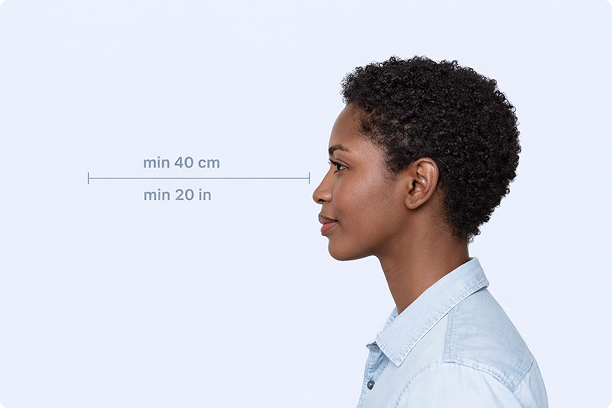
Correct Distance
Hold your camera at arm's length (40cm/20in minimum) for the best results
_1768770085753-BWkNoFUp.jpg)
Face The Camera
Look straight at the camera with a neutral expression and eyes open
Even Lighting
Use natural light or soft indoor lighting to avoid shadows on your face
What You Get
Digital Photo
High-resolution JPEG for online applications
Print-Ready PDF
4x6 inch PDF with multiple copies and cut guides
Acceptance Guarantee
Full refund if your photo is rejected
Why Choose PassportApp?
Ready in 30 Seconds
Fast AI processing delivers your photo instantly.
Money Back Guarantee
Full refund if your application is rejected due to the photo.
Compliance Verified
Each photo is checked against official requirements.